
Bank Deposits
Updated Aug 4, 2026·1 min read
You can see a list of deposits that have been made from online contributions into your bank account and see the details of those deposits.
You can see a list of deposits that have been made from online contributions into your bank account.
- Click on the “Contributions” tab in the menu.
- Click “Bank Deposits”.
- You’ll see a list of previous deposits made to your bank account and the date the deposit was made.
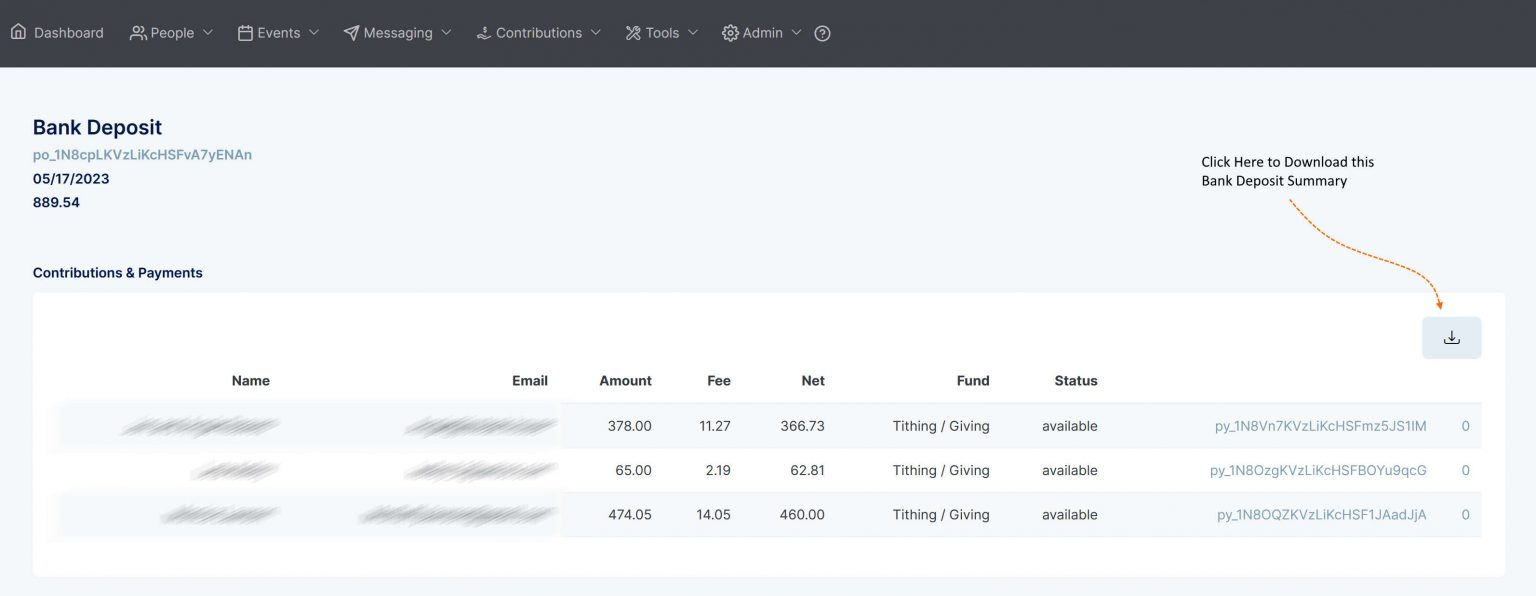
- You can click on the deposit amount to open a summary of the online contributions included in that deposit.
You’ll see a list of recent deposits made to your bank account, the total amount, and the date the deposit was made.
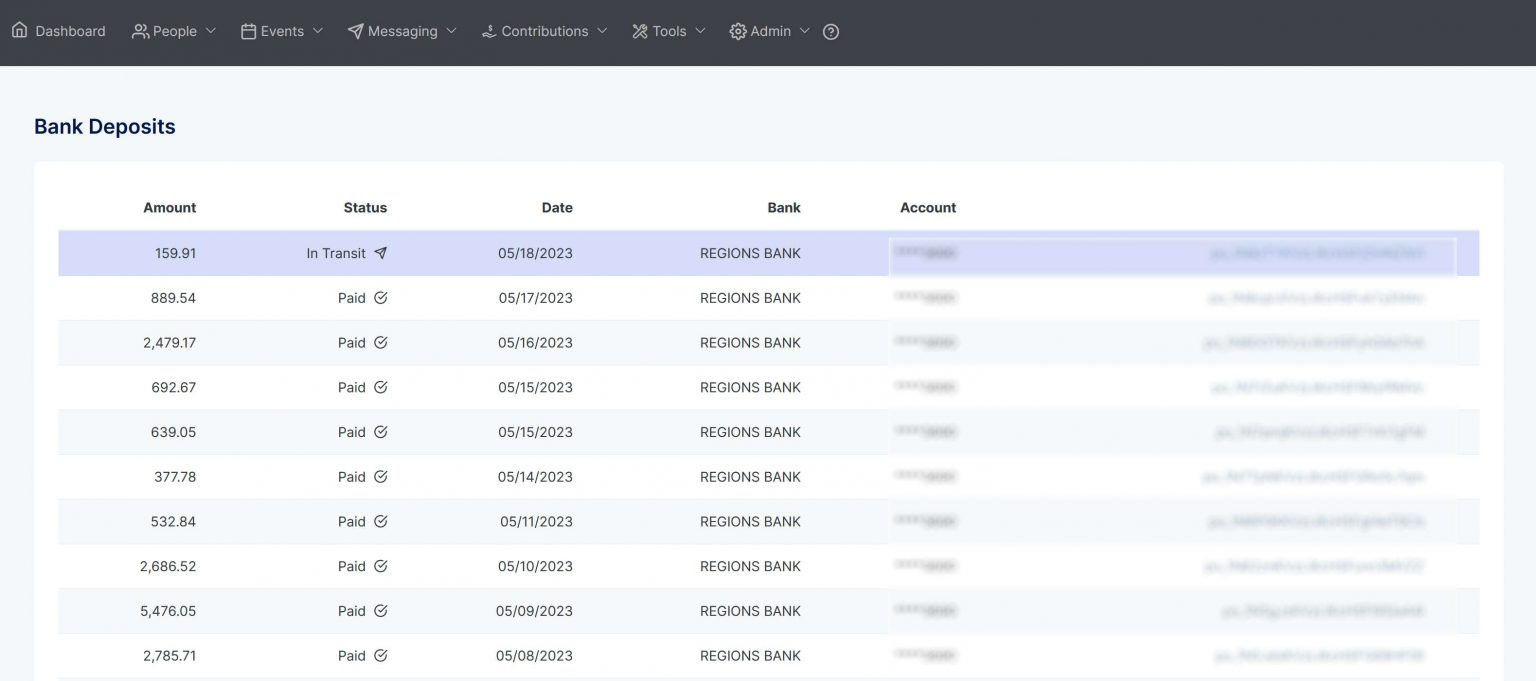
You can click on the deposit amount to see a detailed summary.
Was this article helpful?