
Community – Recurring Gifts
Updated Aug 4, 2026·1 min read
As a user at a church's Community site, you can setup and manage recurring gifts. Once setup, you're giving is automated.
Set up Recurring Gift
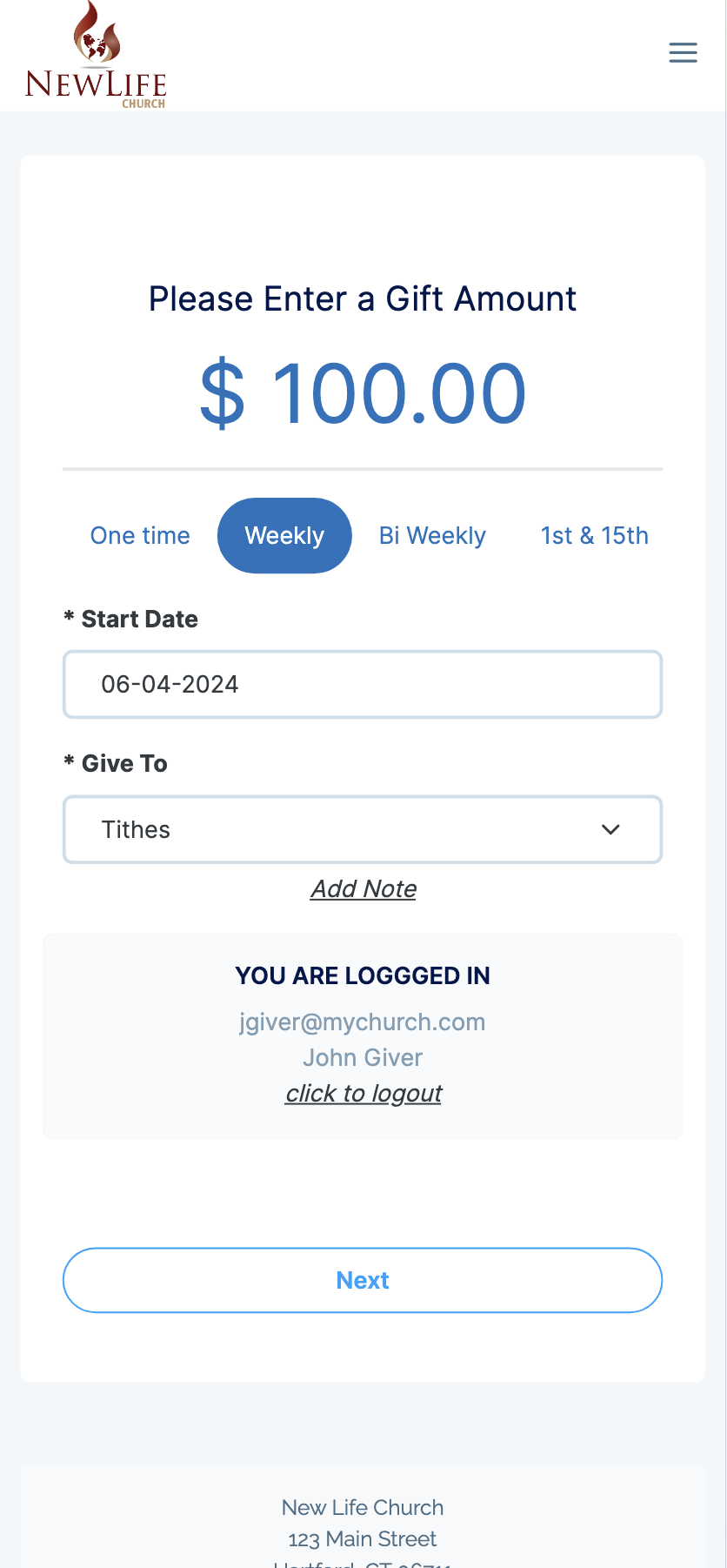
- From your Church’s Community Page select the Give option in the Menu or Home Screen
- Enter the Amount of your Gift
- Select a Frequency for your Gift (Weekly, Bi-Weekly, 1st & 15th or Monthly)
- Select a Fund
Your setup should look similar to the image below
Finalize Recurring Gift Setup
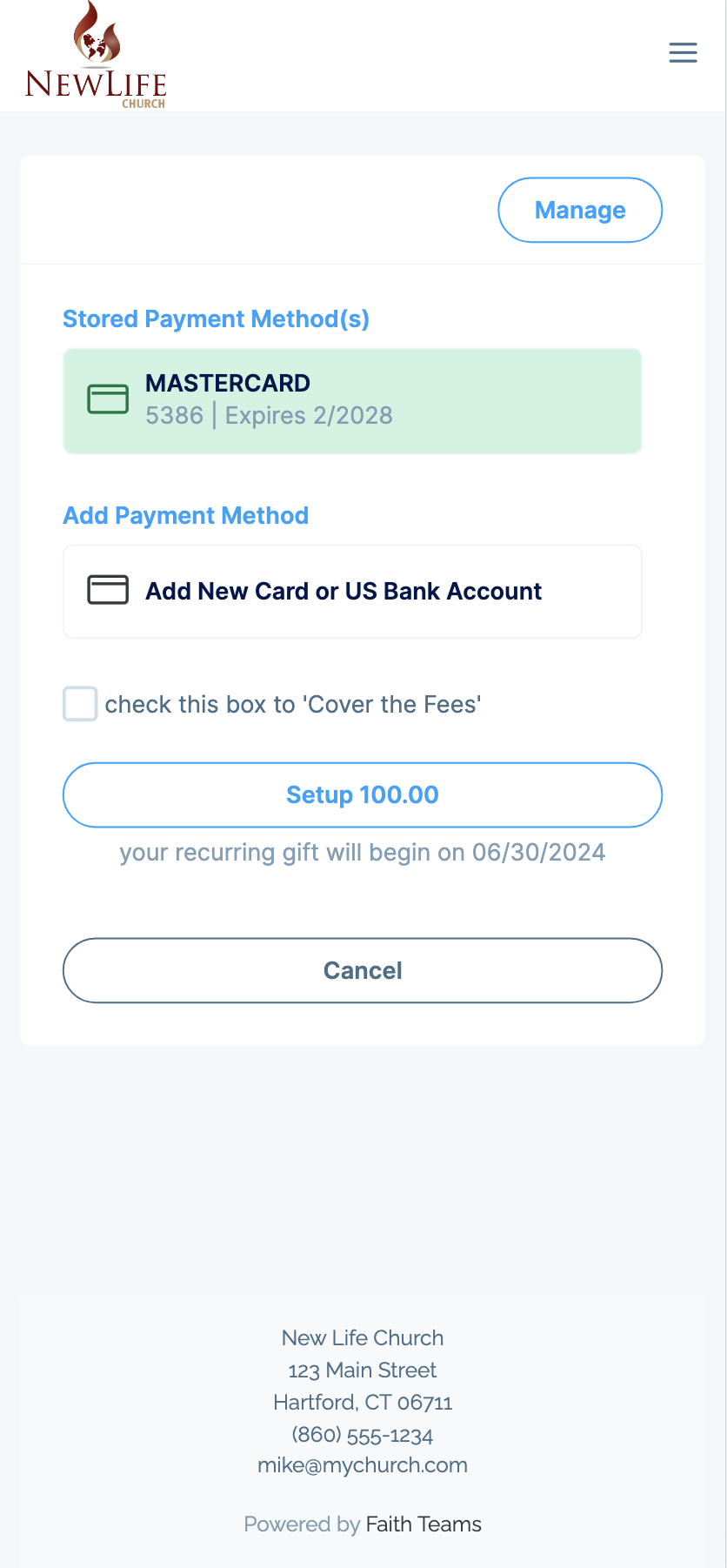
- Setup your Payment Method (Card, Debit or ACH)
- Tap the “Setup” button to confirm your Recurring Gift Setup
- If your Gift starts with today’s Date, you will give a gift immediately, and on your scheduled recurring cycle
Your Setup should look similar to this when ready to finalize
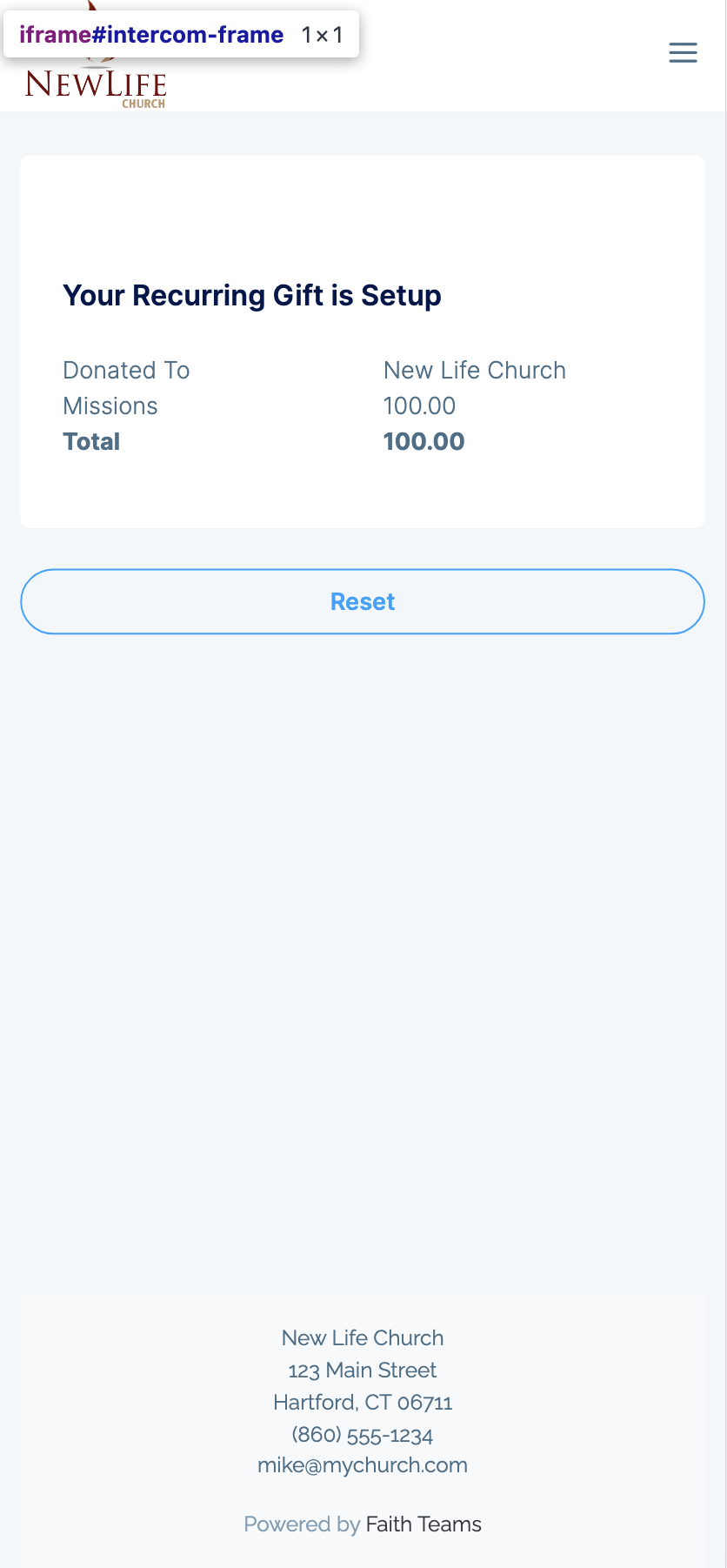
You will receive an on-screen and email confirmation
Managing Existing Recurring Gifts
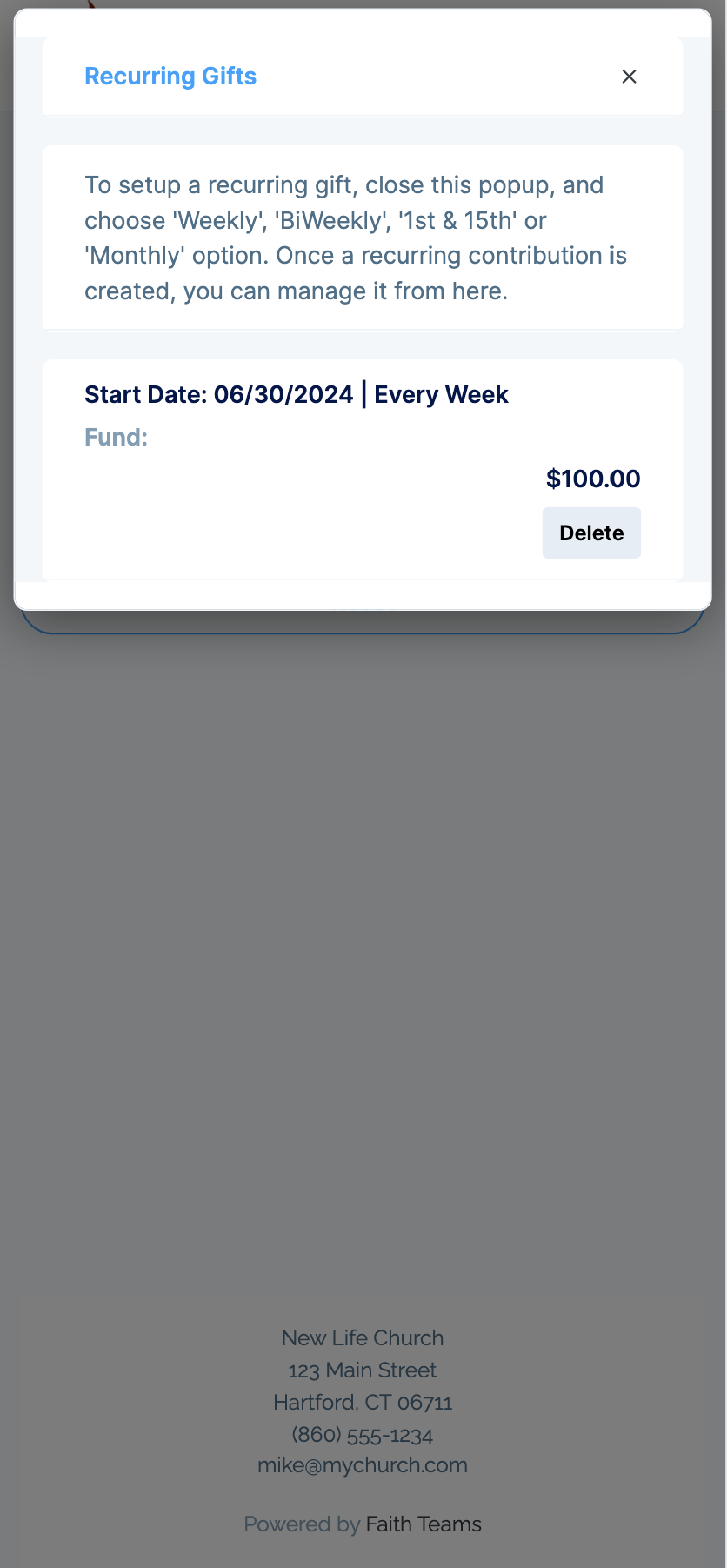
- From your Church’s Community Page select the “Manage Recurring Gifts” item in the menu
- You may only “Delete” recurring gifts, not change them. You will need to do this if you wish to change the amount, the frequency, the fund or payment method. Once deleted, add your new Recurring Gift
Was this article helpful?