
Embedding Your Faith Teams Calendar into Your Website
Embedding Faith Teams Calendar into your Website is easy. Login to Faith Teams ChMS, go to Community, then go to Embed on Your Website and generate the code
Embedding your Faith Teams Calendar requires that you have setup your Calendar and as well Community. Once you've done that, you can easily generate your embed code and then past that into your website.
Go to "Admin" on the Faith Teams menu and then "Community" and then "Embed on Your Website". This take you to a page that shows you what you need to generate a Giving embed code. Use the toggle in the upper left hand corner of the screen to move to Calendar and generate an embed code for that.
Below is a view of the screen for creating the embed code.
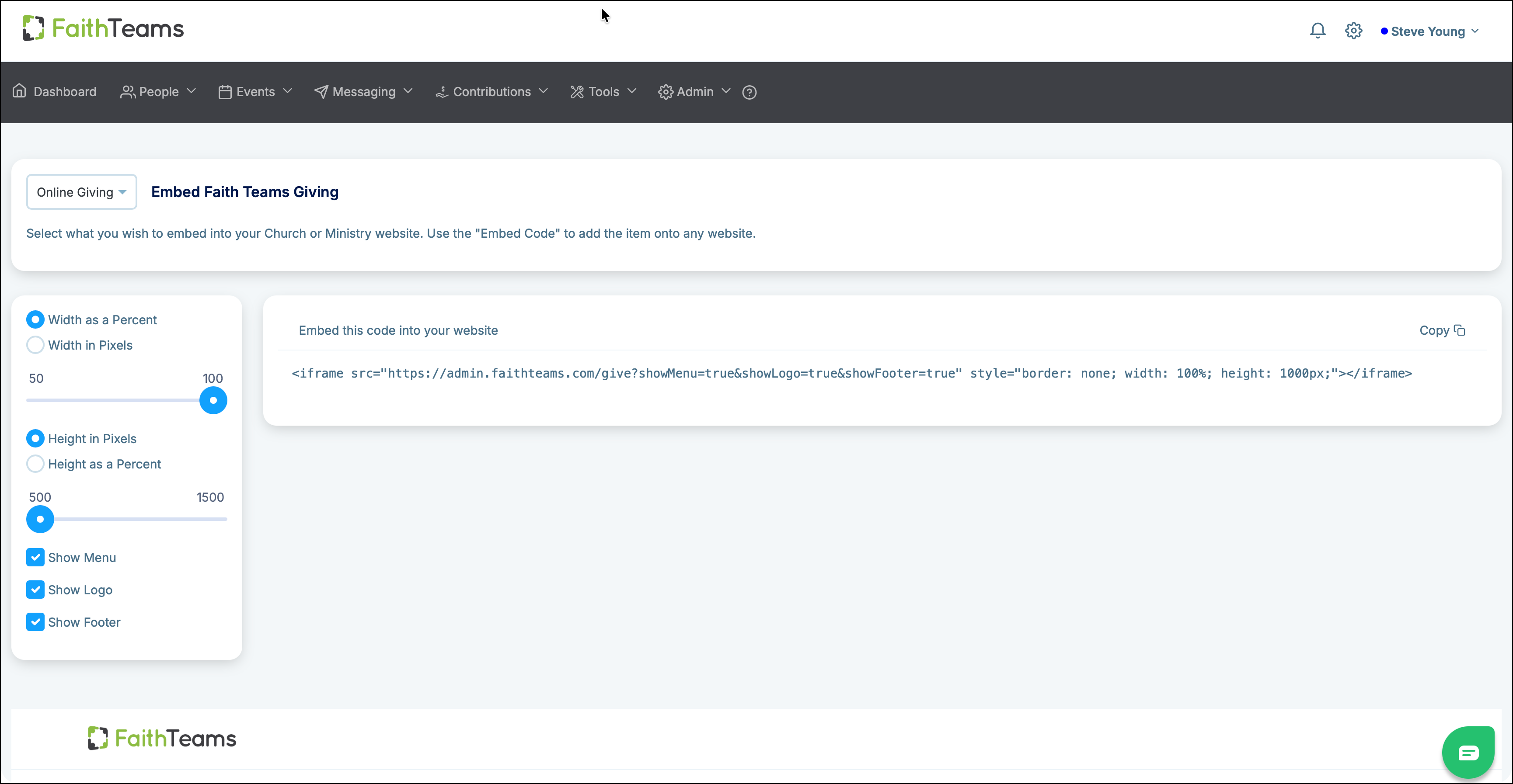
Once you've used the controls on the left to design your giving widget for embedding (shown below the controls), you will see generated embed code on the right. You can then copy that code and embed it as HTML into your website.