
Group Categories
Updated Aug 4, 2026·1 min read
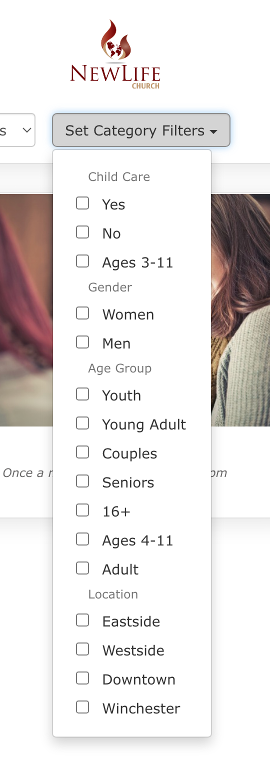
Group Categories in Faith Teams allow those who wish to signup for a group to filter the groups by category.
Group Categories allow those who wish to signup for a group to filter the groups by category.
Some category examples include:
- Type: Women’s, Men’s, Youth, Senior’s
- Ages: 18+, 12-18, 55+
- Interests: Prayer, Fellowship, Dining, Travel, Sports
Group categories are assigned to a group to aid in filtering a list of groups to find a good match for the person signing up.
Creating Group Categories
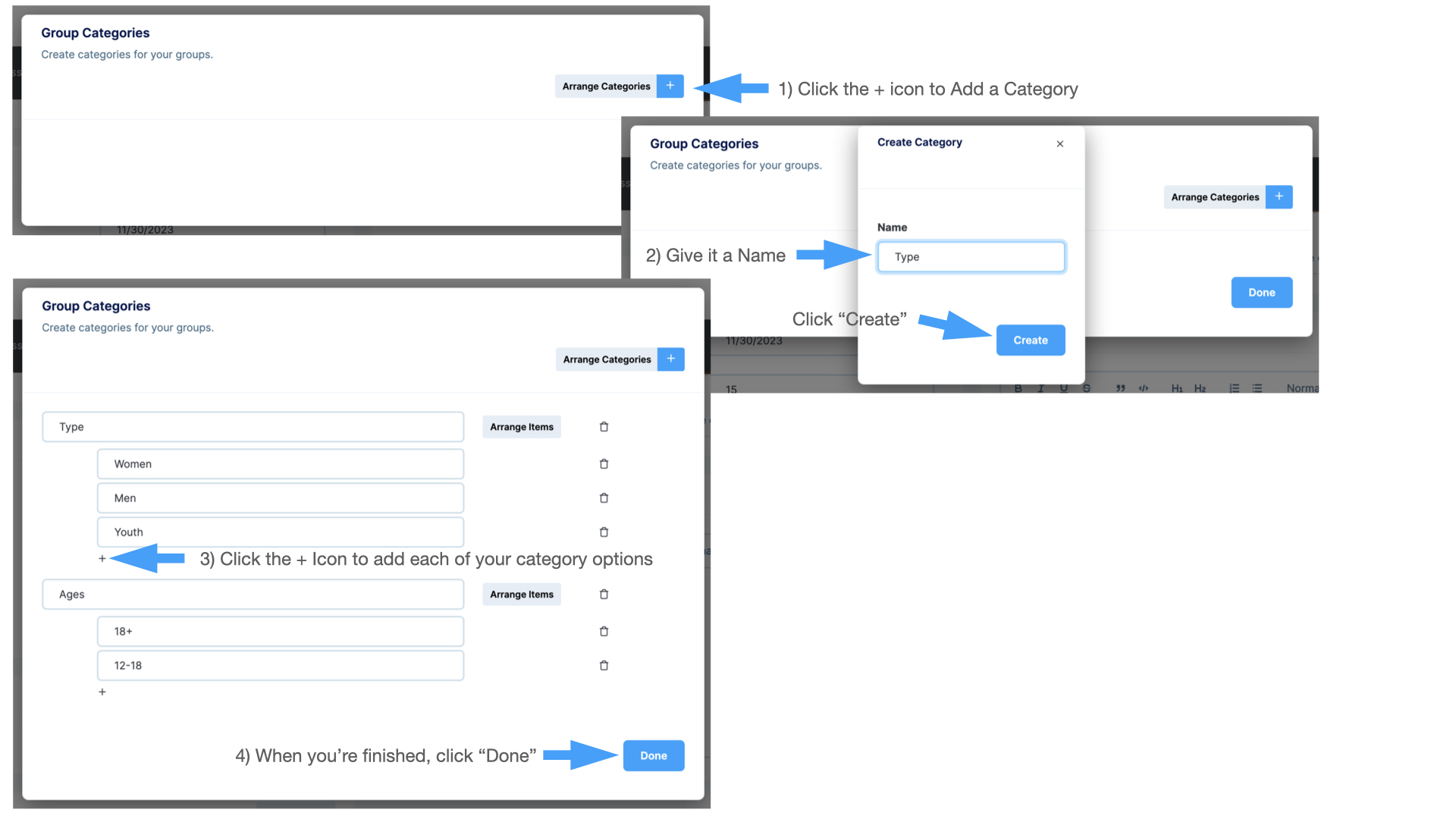
From the Group Settings Page in the Group Categories section click the “Edit Categories” button
- To create a new Category, click the blue + icon
- Type a category name (Age, Interests, etc.) and click “Create”
- Click the + icon directly underneath the category to add options
- When complete, click “Done
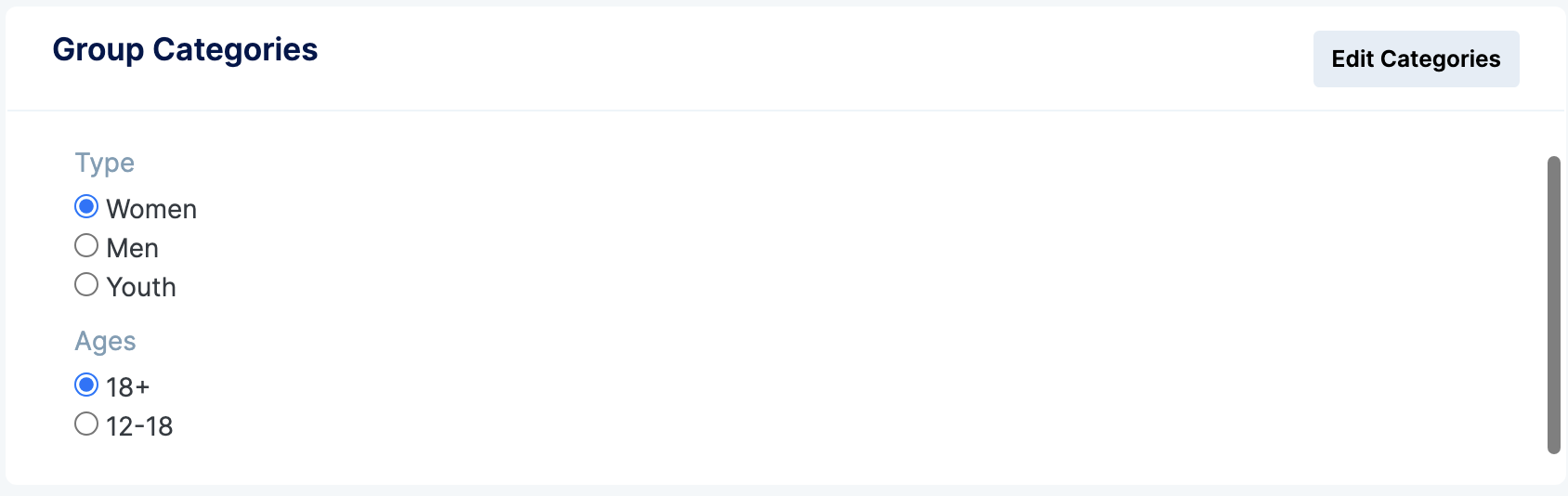
Once you have created your needed categories, select the option next to each category your group falls within
Was this article helpful?