
Running a Background Check for an Individual
Updated Aug 4, 2026·1 min read
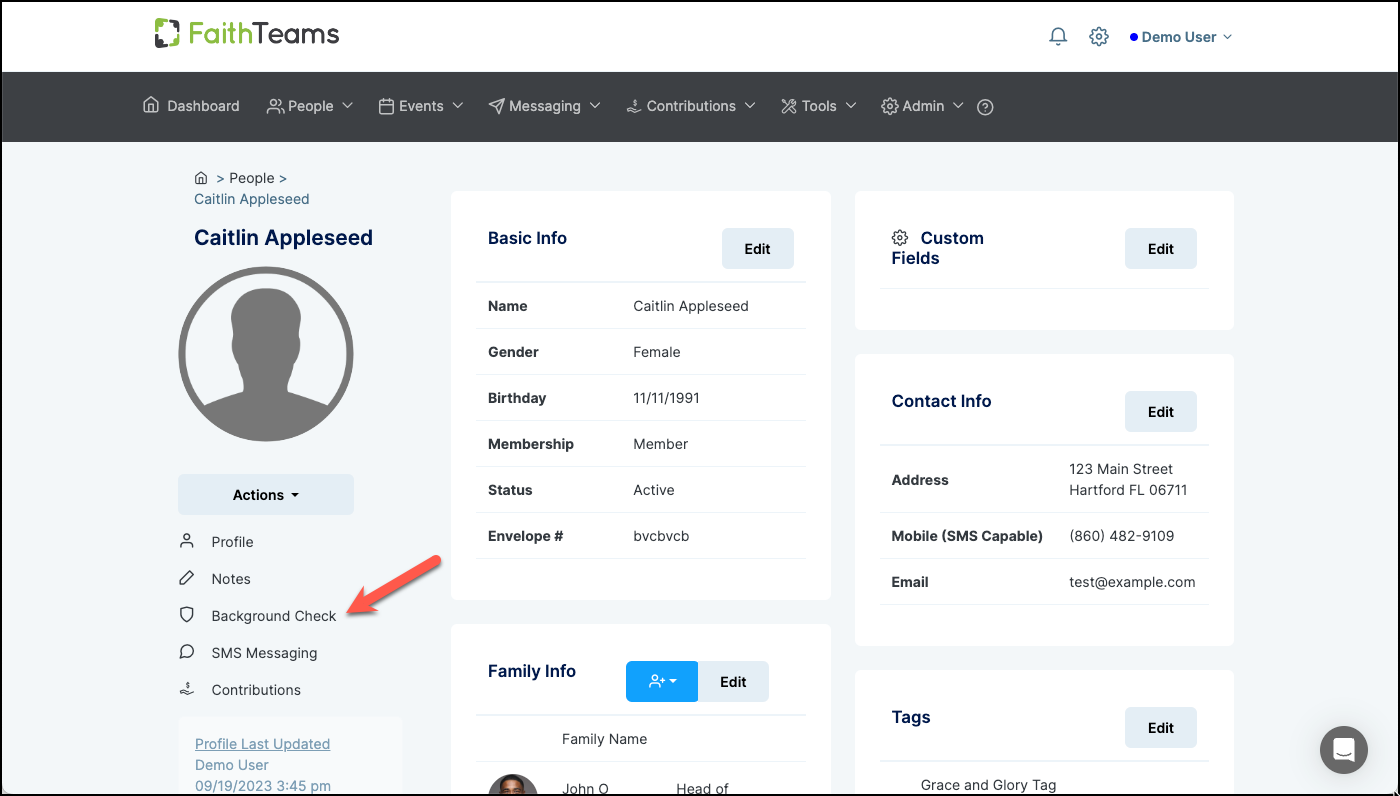
Running a background check is easy in Faith Teams. Simply click on a person profile, then inside that profile, click "Background Check"
- From the “People” screen, find the person and click on their name to open their Profile Page.
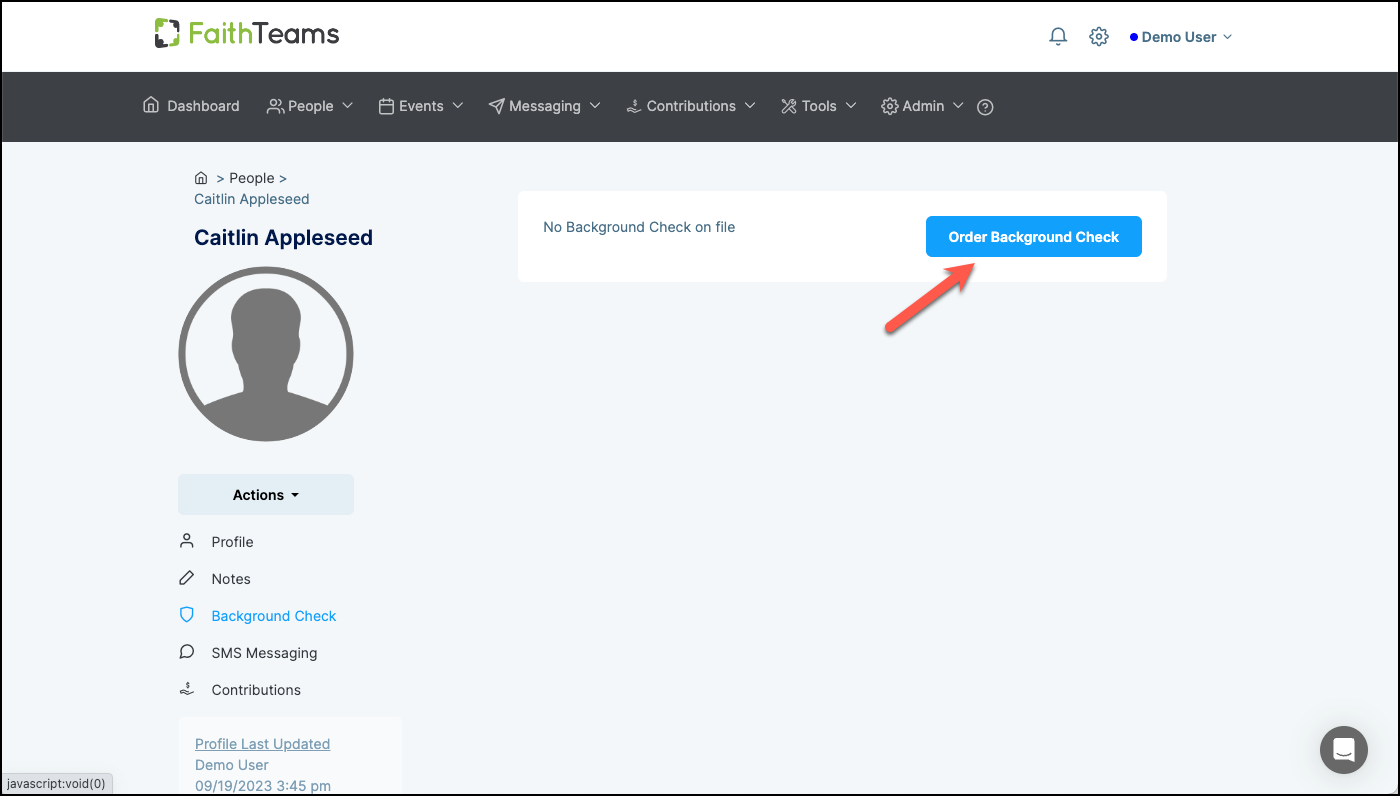
- On the left side of their Profile, click “Background Check”, then click “Order Background Check”.
- Choose which background check you want, and click “Order Background Check”.
NOTE: Once you order the background check, you should typically receive the results in 12 to 48 hours.
Was this article helpful?